
Designing seamless hybrid platforms for inclusive educational experience
UX Design · UX Research · Web + Mobile Prototype · Physical Prototype · Usability Test
Introduction
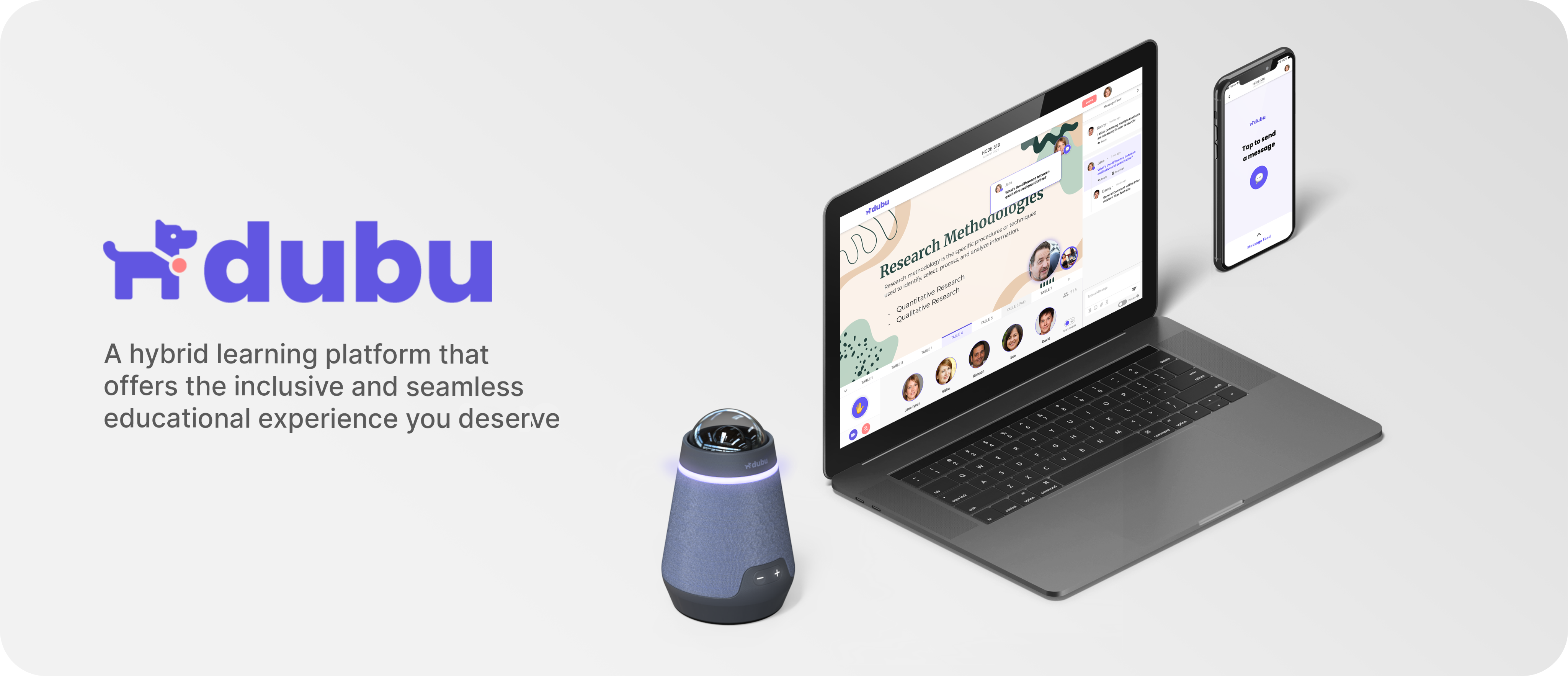
Identifying the limitations of communications within an educational hybrid space (defined as spaces with the option to be remote or in-person) and identifying opportunities to design a more accessible, equitable, and inclusive hybrid learning environment.
How might we improve communication between in-person groups, remote groups, and a moderator, in a hybrid learning environment?
My Role
Responsible for UX design, conceptualisation, and user testing
Team
2 Designers, 1 Product Manager & 1 Researcher; Professor - Rebecca Destello
Timeline
Sept 2021 - Nov 2021
TL;DR
A glimpse of Dubu in action and how it would help make hybrid learning environments more equitable, inclusive, and interactive for all participants, no matter the location you join from.
UX Research
As a group, we fleshed out our UX research plan, which included User Surveys, User Interviews, and ending with Usability Testing.
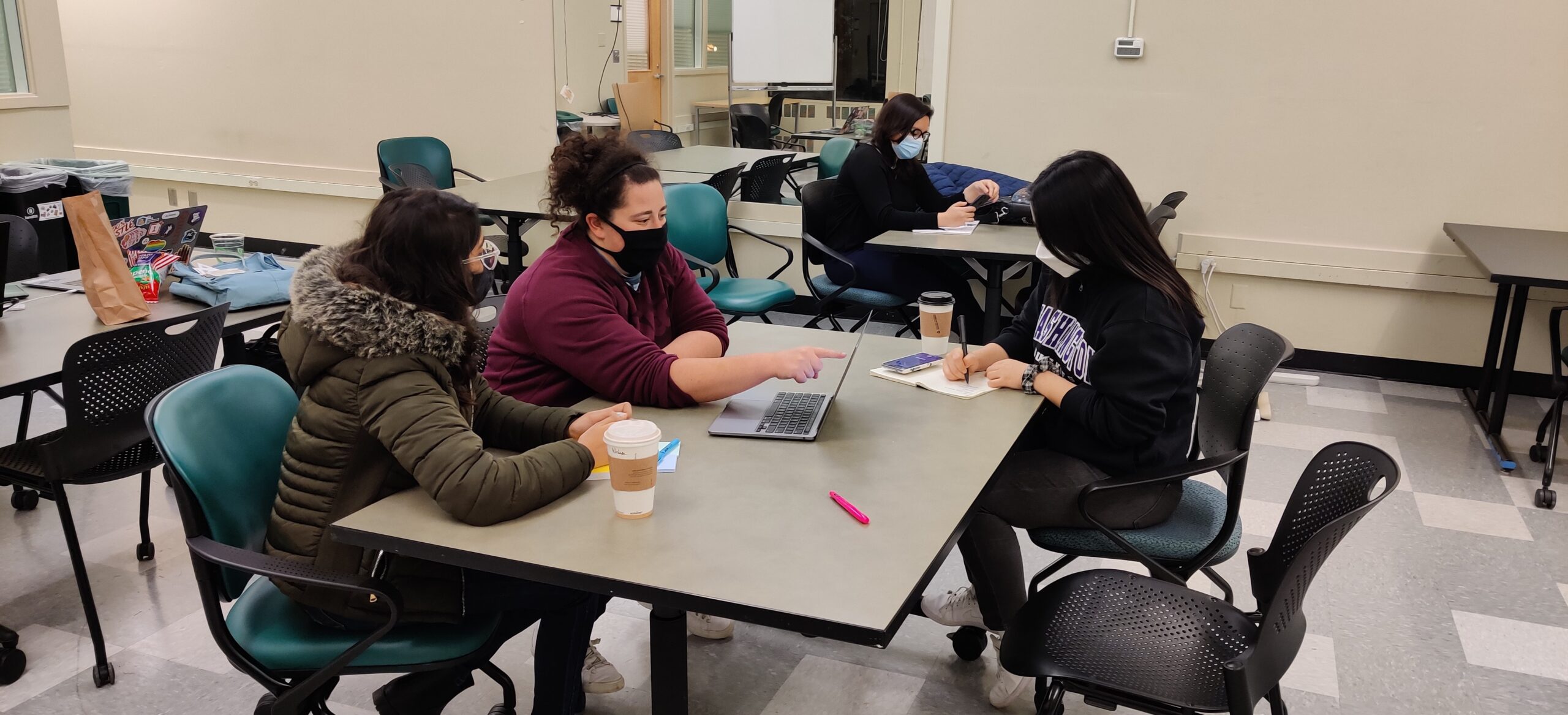
As a preliminary research method, I designed a survey to help us understand our users and their opinions, perceptions, and experiences in the hybrid-learning space. This method helped in highlighting the common themes shared across surveyees and assisted in formulating an interview protocol for future qualitative research. Our team conducted a survey with 29 participants. The majority of surveyees were graduate students comprising 86.2% (undergrad, graduate, Ph.D.), while others included Professors and Academic student employees.
After the user survey, my team & I identified and recruited survey respondents who are currently engaging in at least 1 hybrid course. I conducted 5 in-depth interviews (both remote & in-person). Each interview lasted approximately 30-45 minutes. I chose this method to validate and expand on patterns identified from our survey.
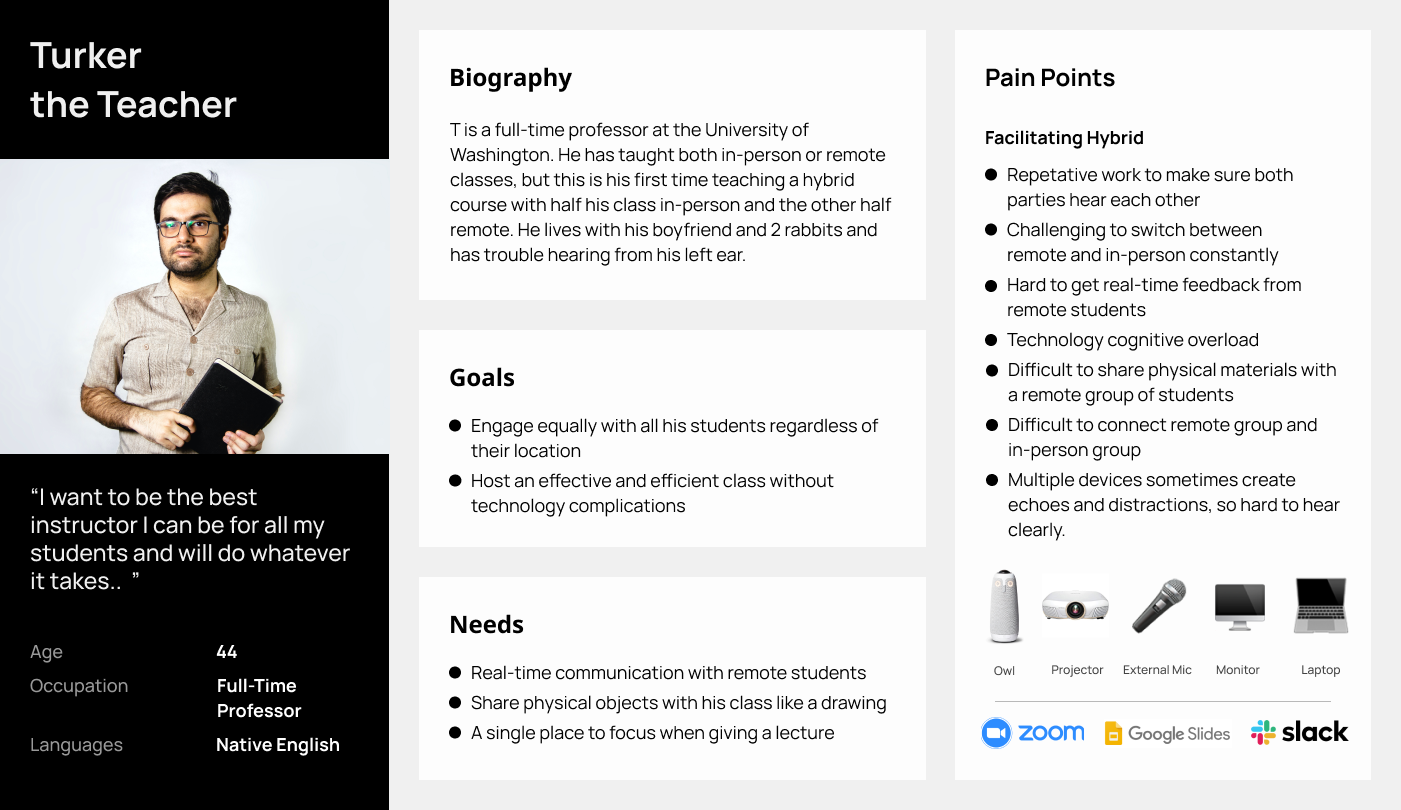
The users of Dubu
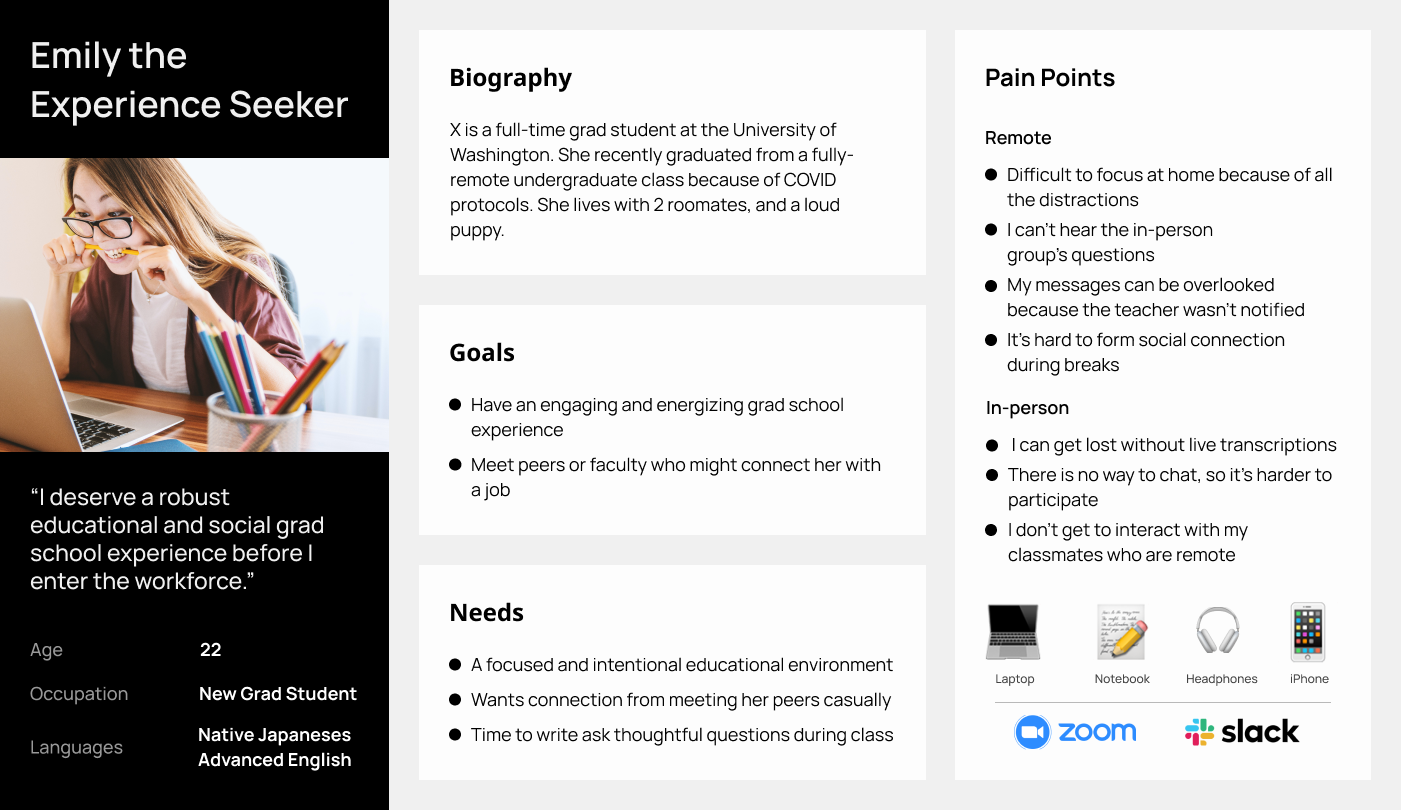
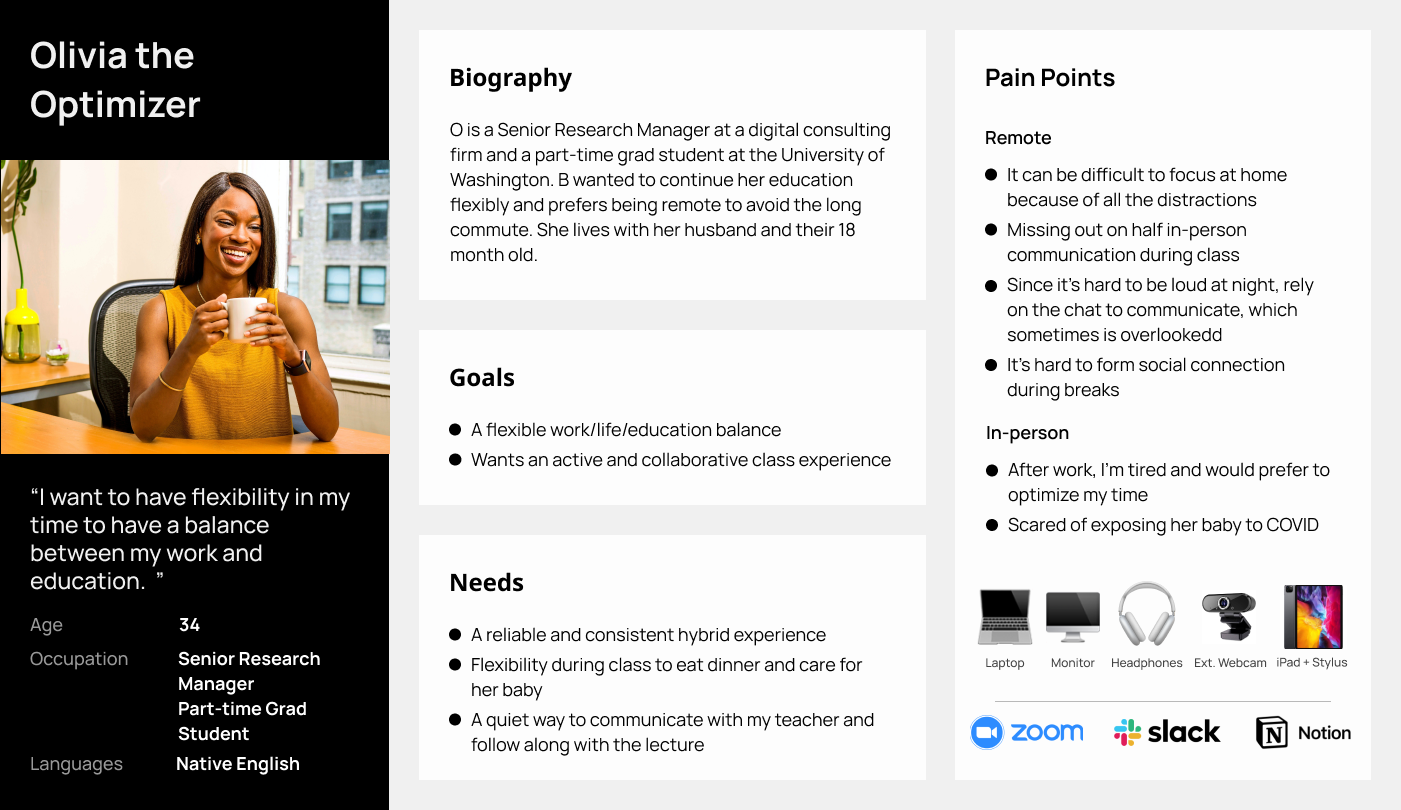
These personas mimicked the needs, goals, and pain points of the target users and helped us stay focused on designing a platform for the intended user base.
Dubu is going to be potentially used by different personas across varying roles in education, workplace, etc. However different users have different use cases and Dubu needs to be flexible to cater these needs at all times.
Understanding the problems our users faced
💬 Remote Students - Questions
Students attending the class remotely ask their questions on zoom chat which are often missed by the teachers.
🚫 Remote & In-Person Students - Socializing
Minimum to no socializing between remote students and in-person students during class activities or projects.
😶 Remote Students - Socializing
The breaks for remote students between activities in a 4 hour long classes are often left unsocial, and they are just waiting for teachers to rejoin.
🎙 Echo due to Microphones
Due to multiple students using zoom on their laptop in class for a hybrid experience and accidentally leaving their microphones on causes a loud echo.
Design Principles
The exploratory research helped us define our focus areas for the design of our product.

Accessible
Equitable access to every participant irrespective of their location
Seamless
Imitating real life experiences for students in a remote setting
Participatory
Invite everyone to be a part of an interactive classroom environment
Ideation
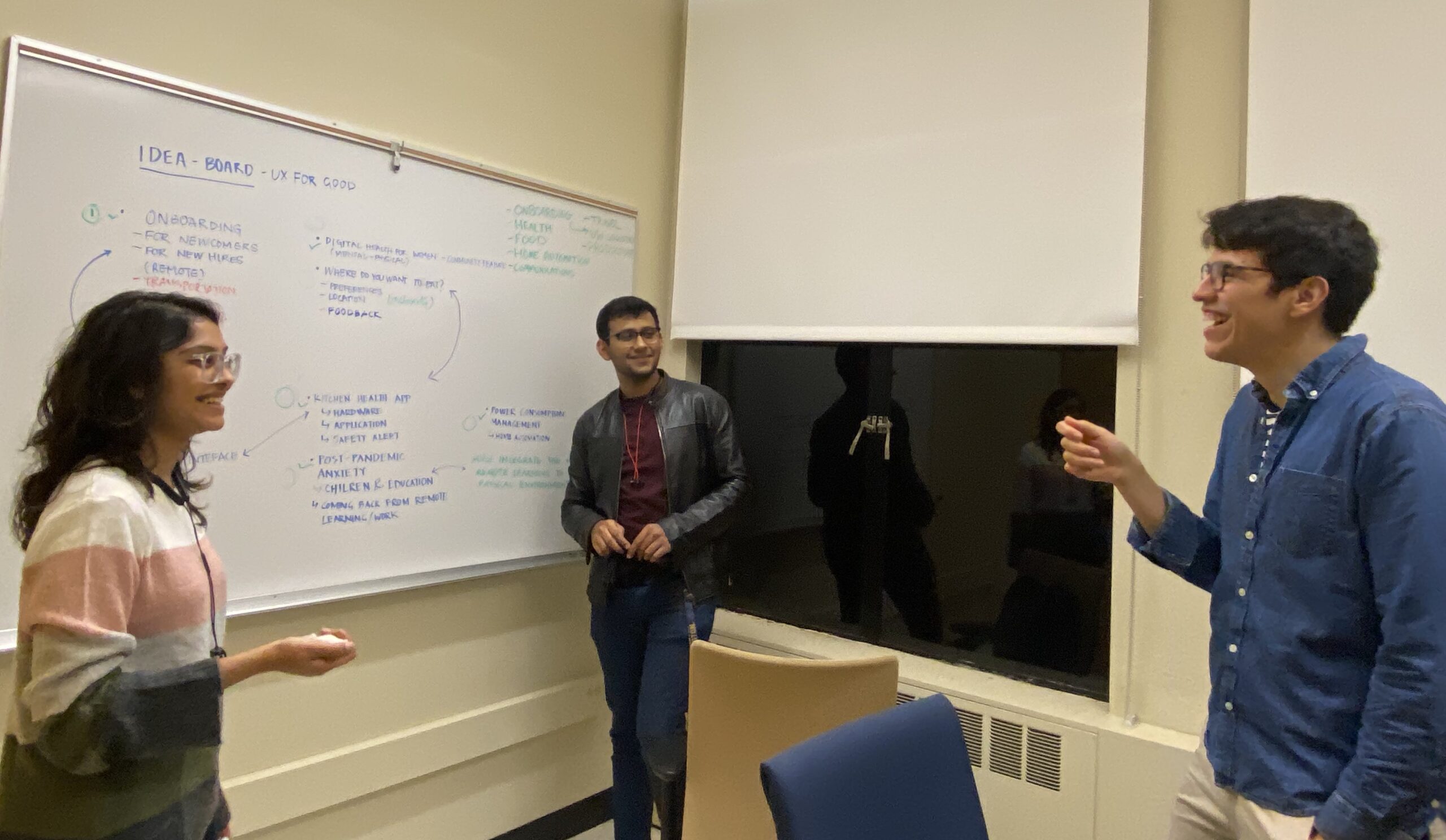
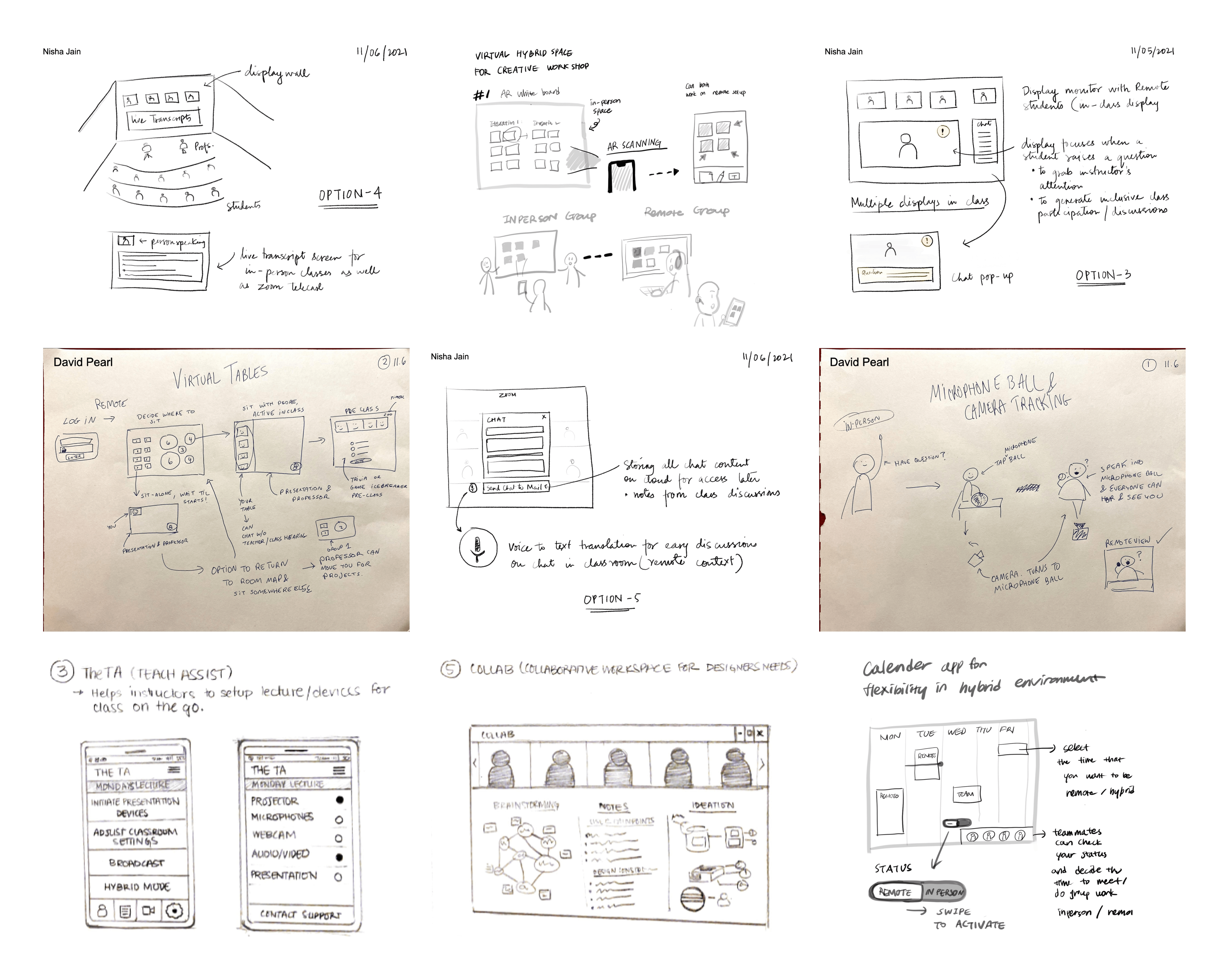
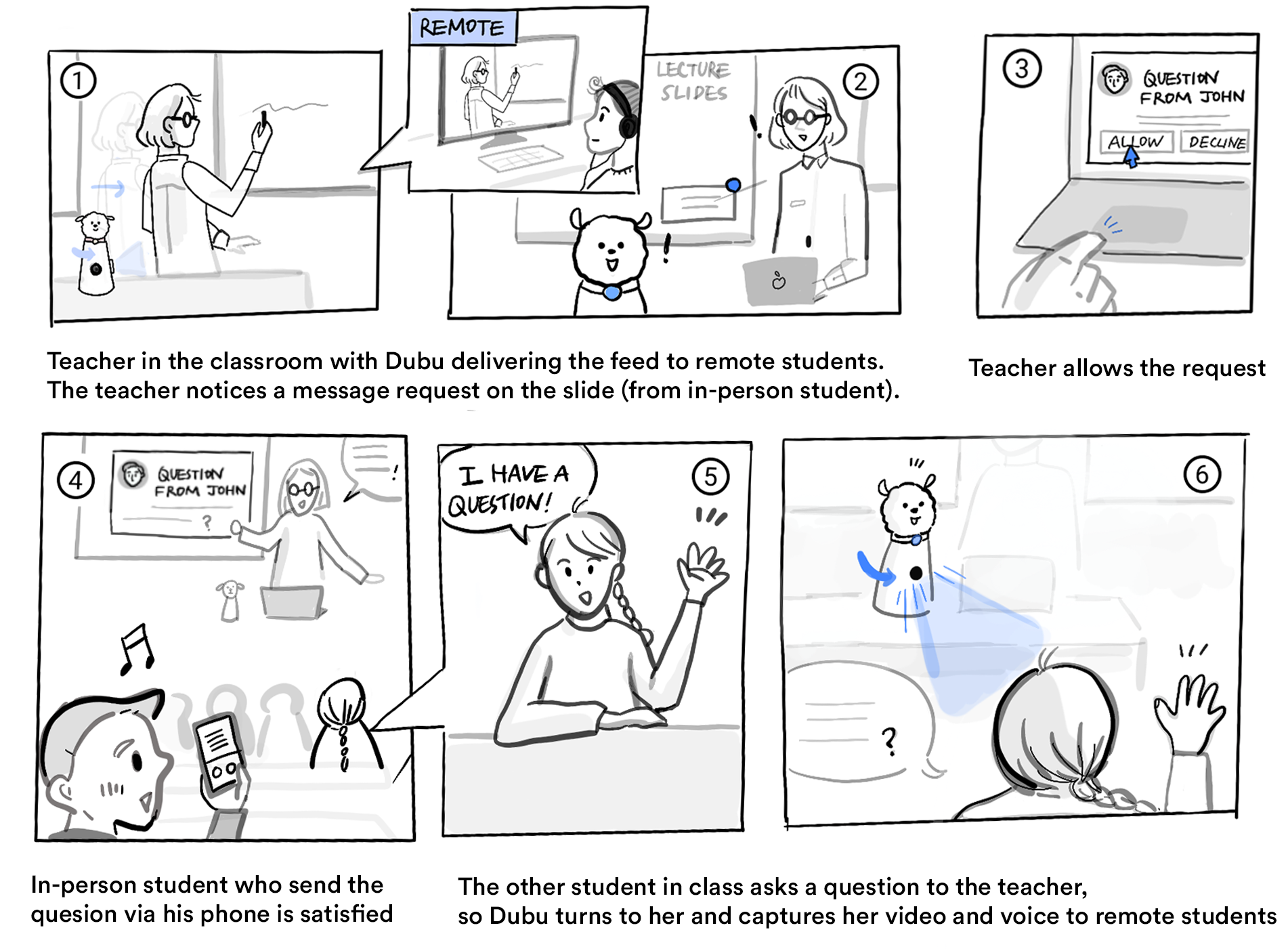
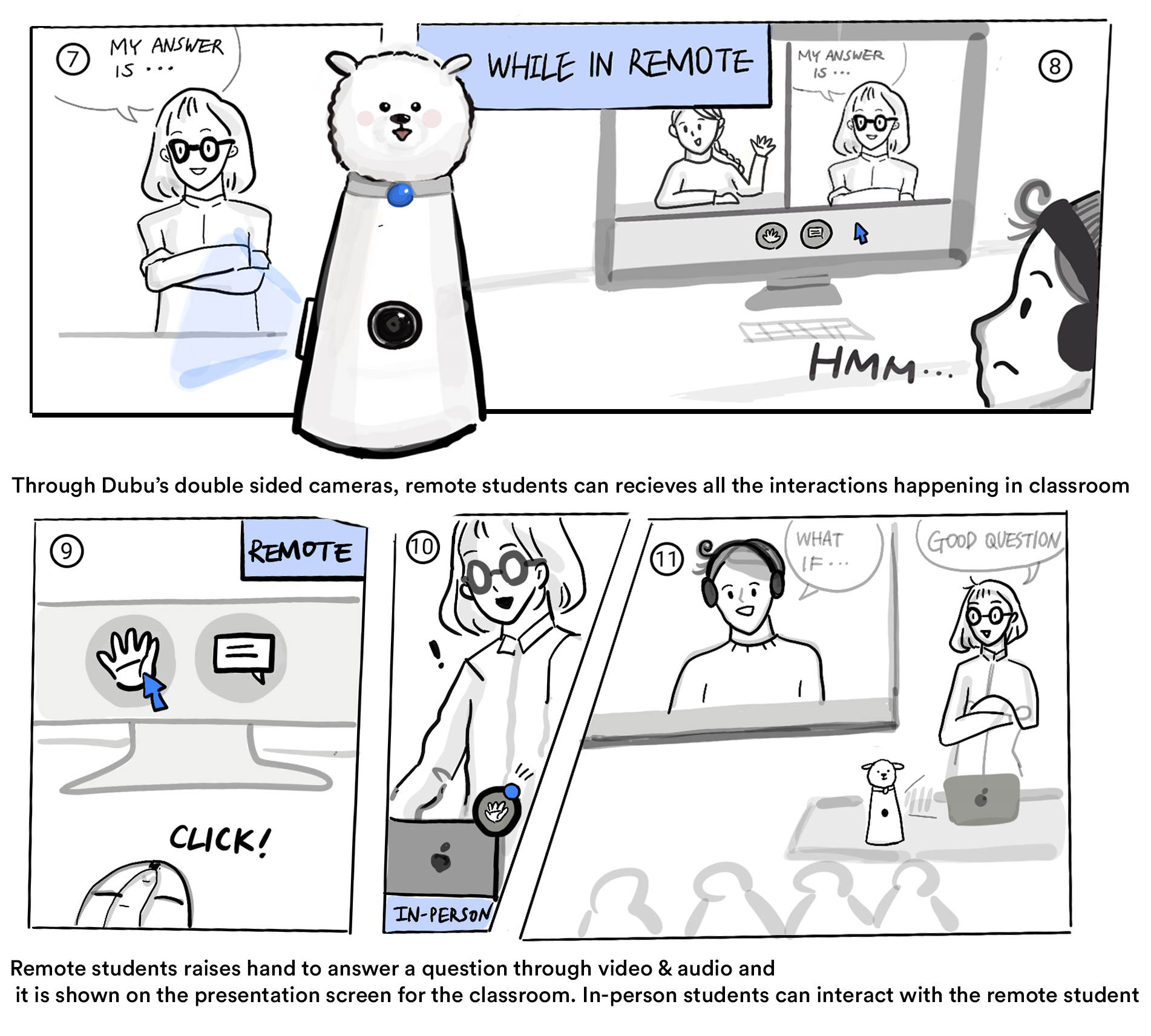
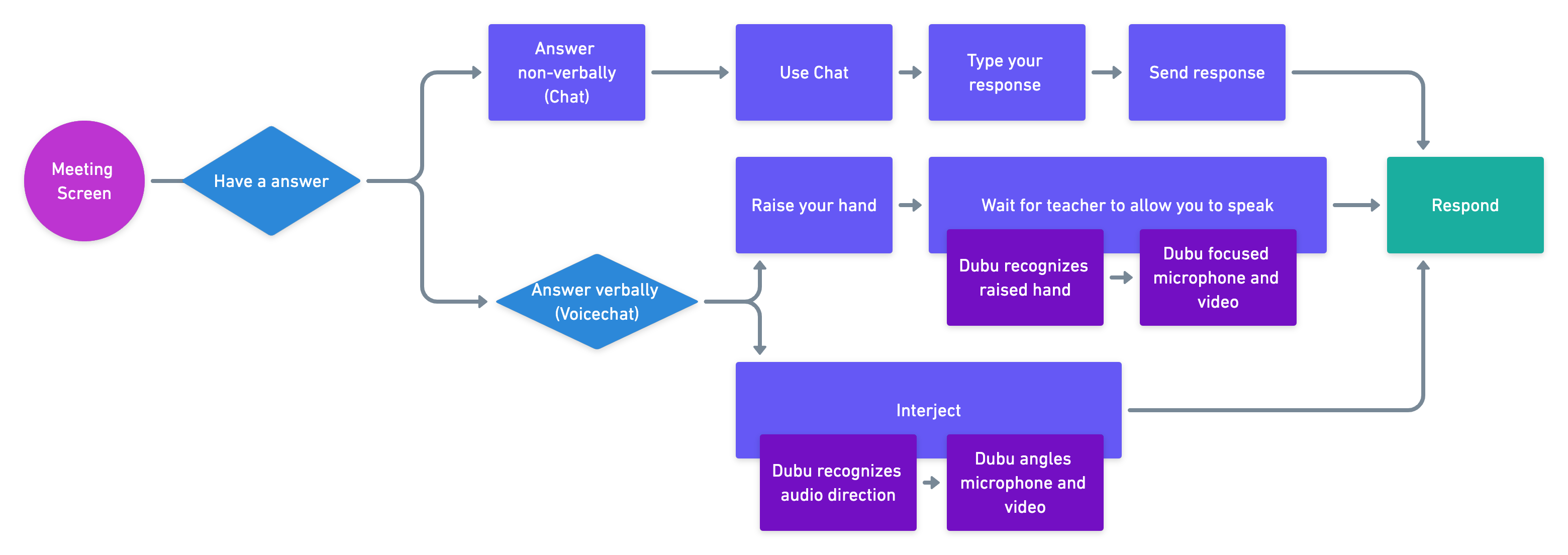
We each diverged and created multiple concepts to visualize the insights we recieved from our surveys & interviews to present potential solutions that might solve them. We then merged multiple potential ideas to come up with a storyboard.
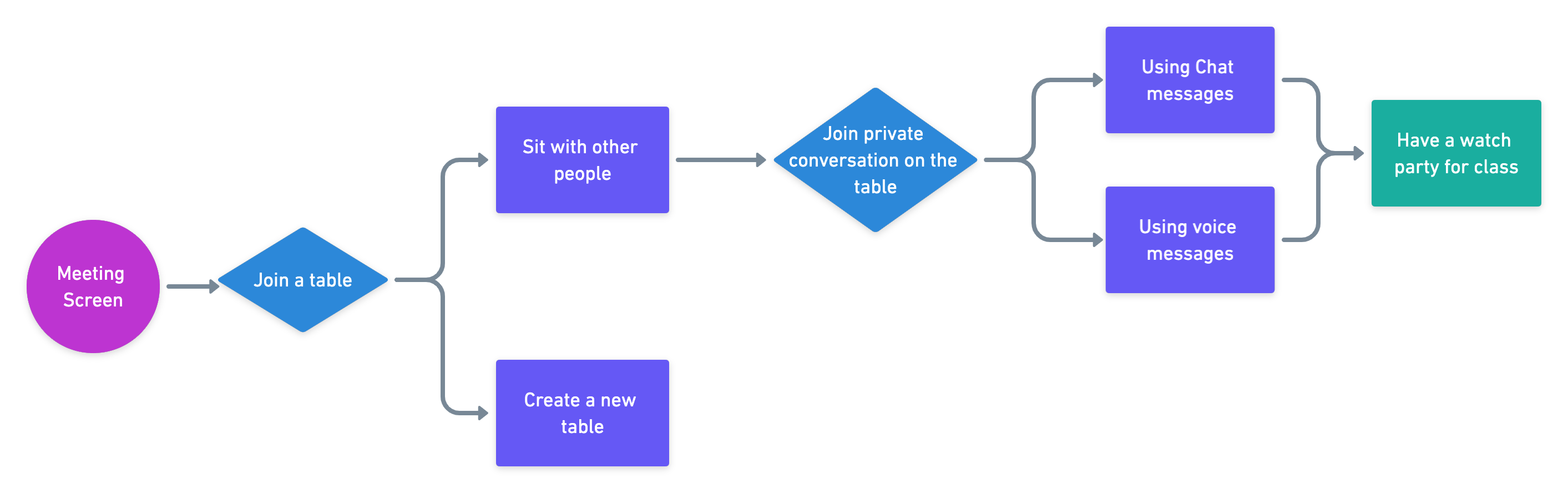
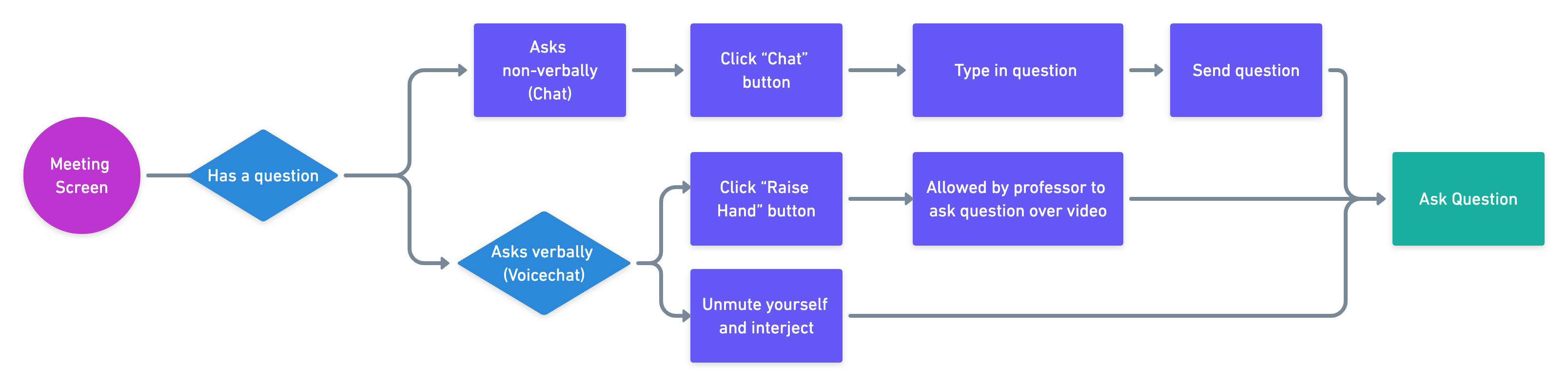
Storyboards & User Flows
Prototyping & Testing Cycles
Lo-Fi Prototype
Using the storyboards and user flows we created, I moved on to create Lo-Fi Prototypes for the initial usability testing with our target audience (n=6). We gathered a lot of interesting insights from talking to our users and watching them interact with the screens.
Task 1a: A remote student asks a question (n=4)
Task 1b: A remote student asks a question (n=4)
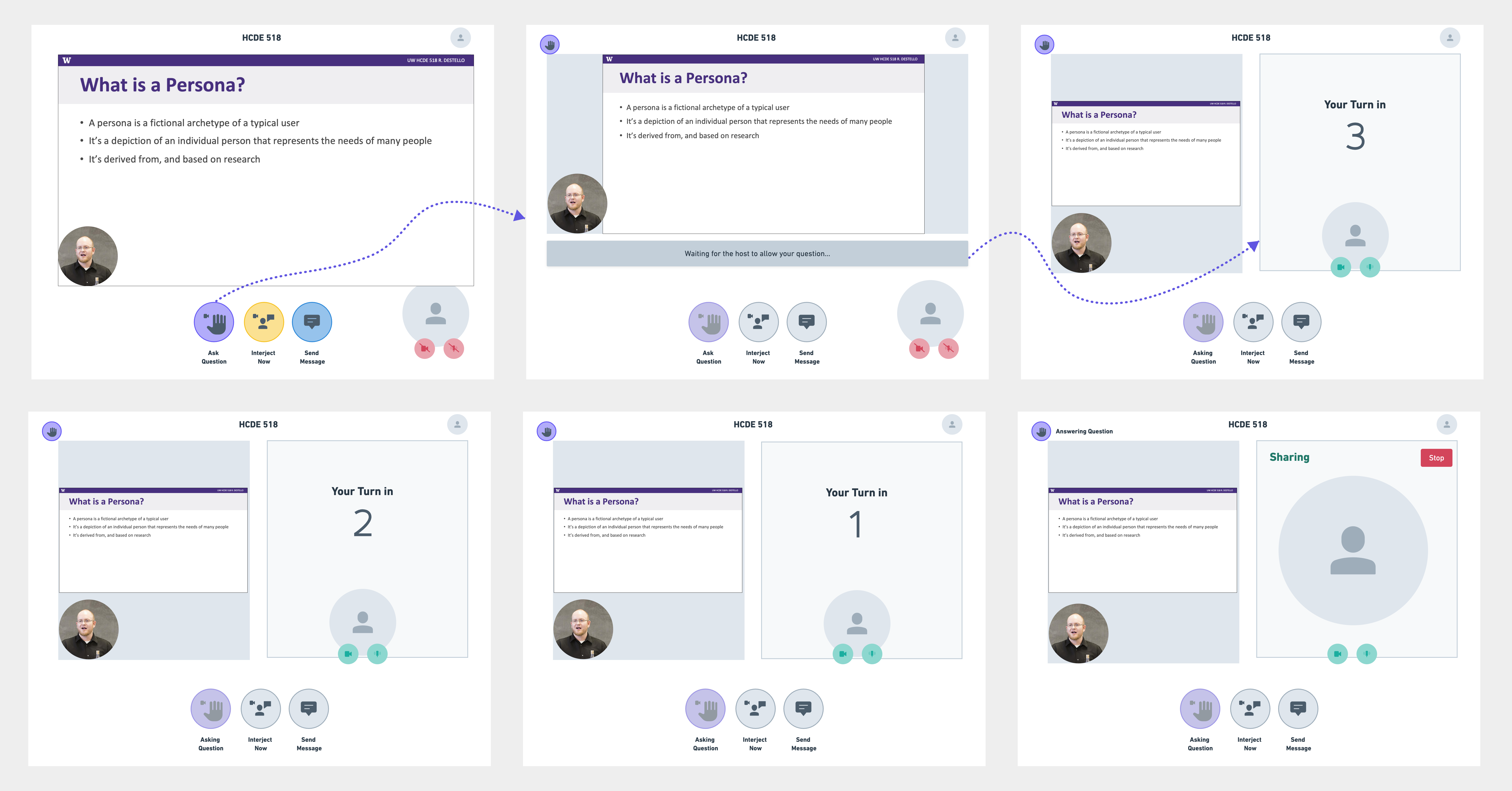
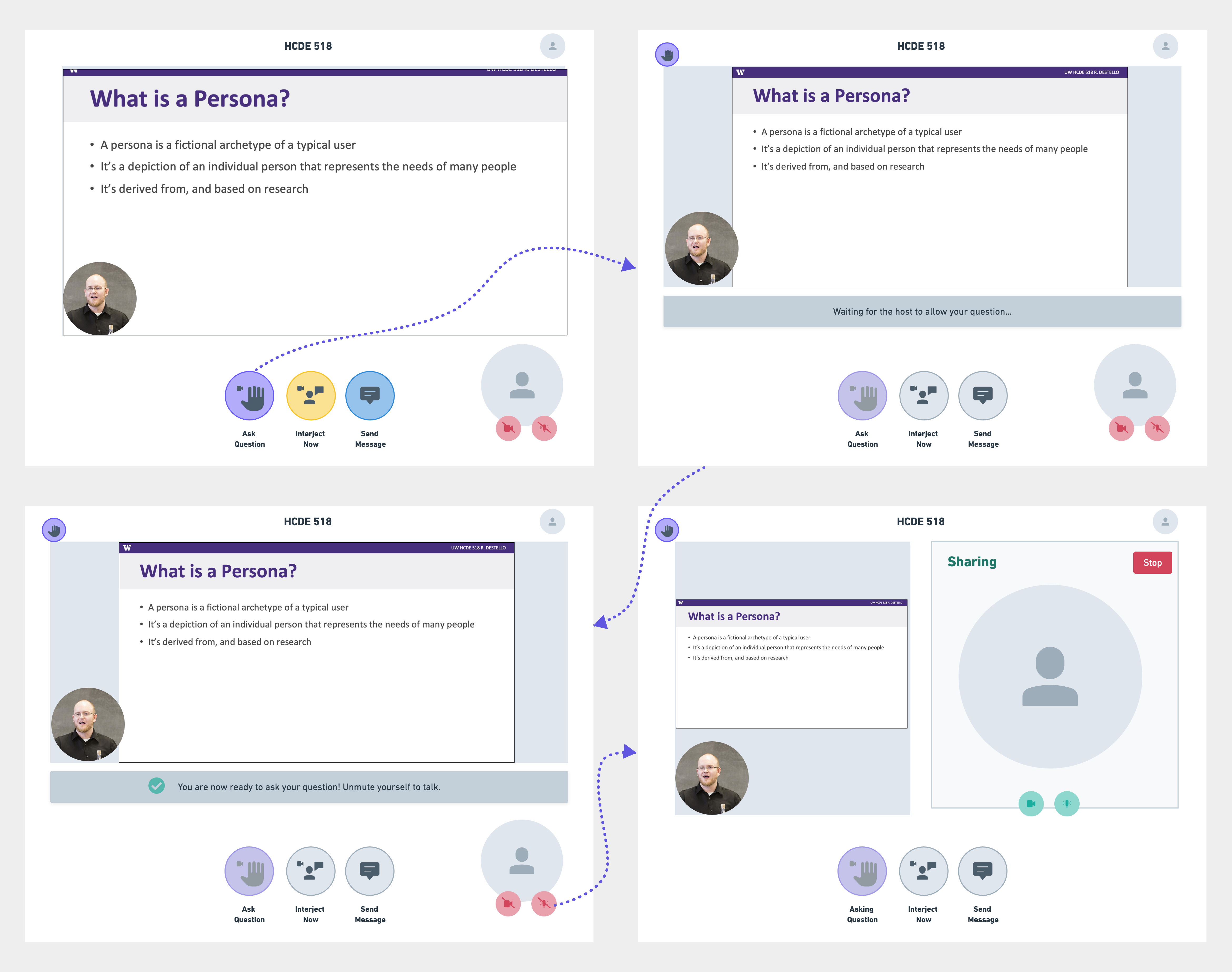
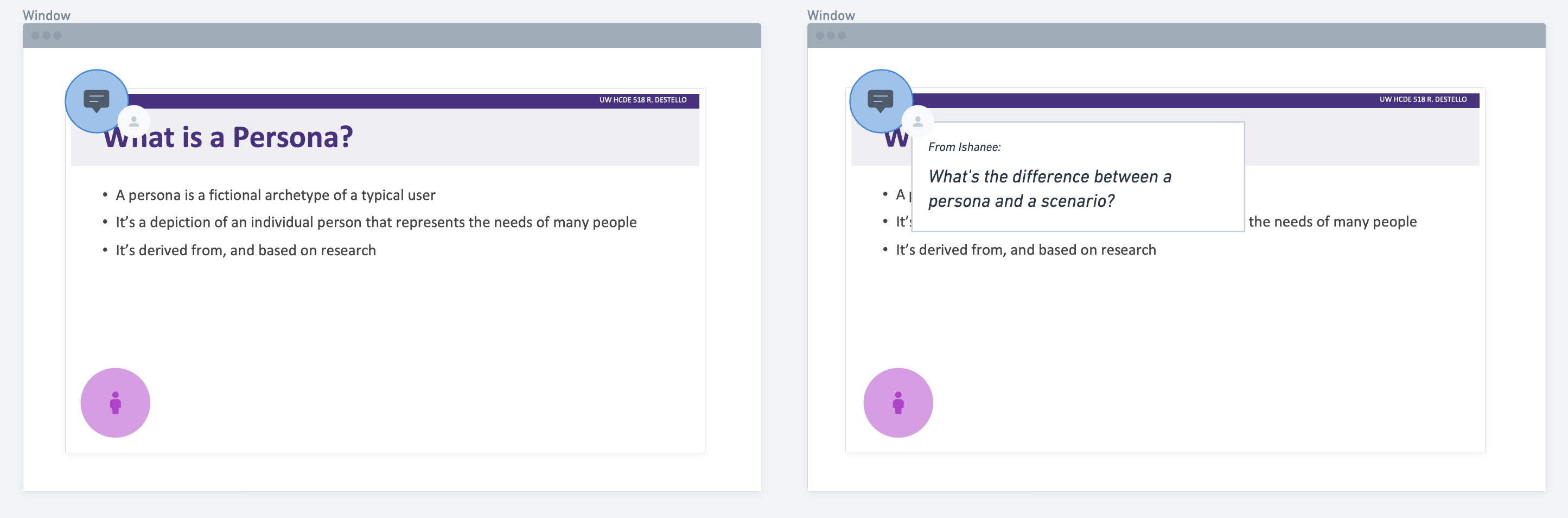
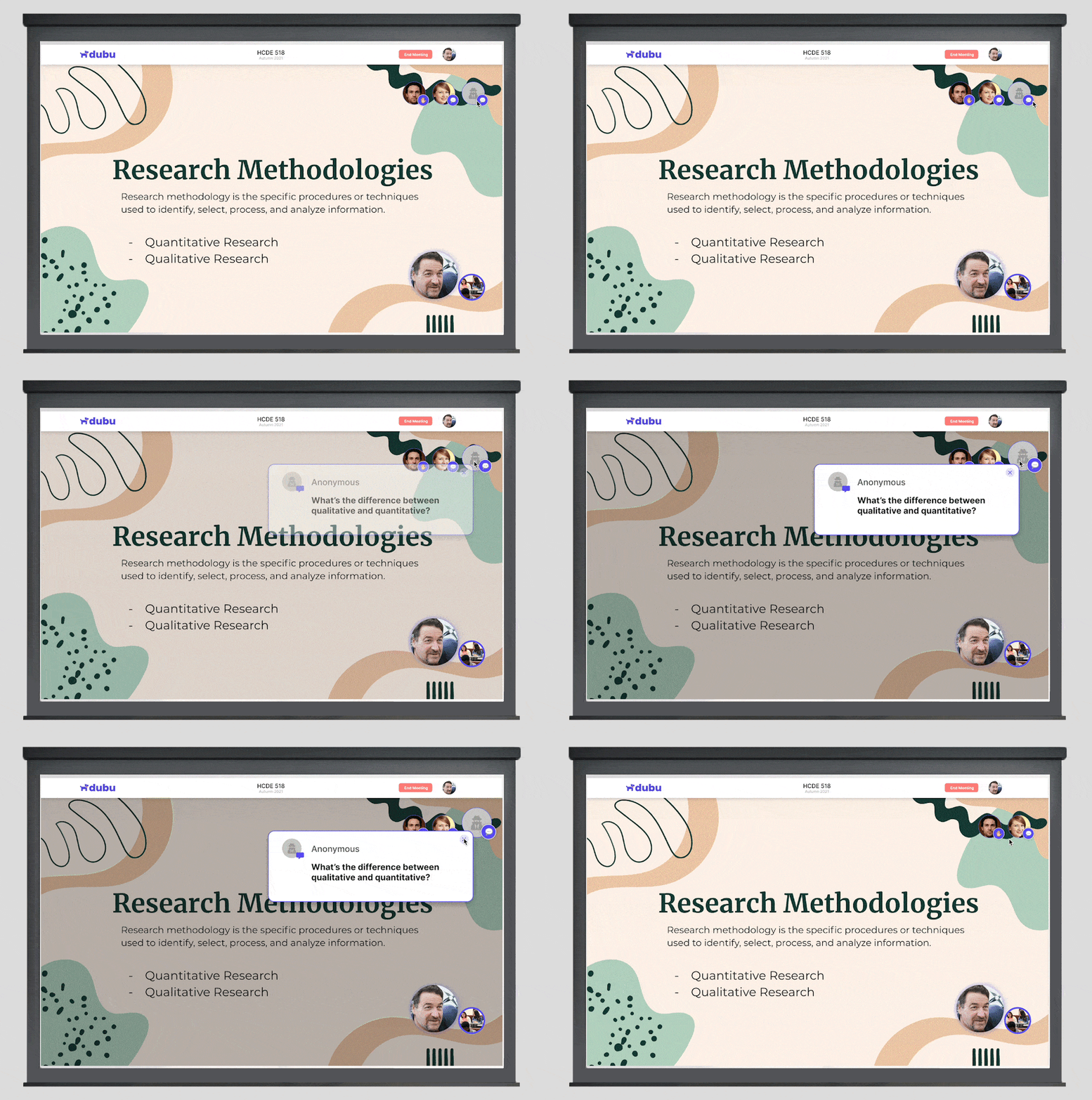
Fig 1: Presentation as seen in class by in-person students
Usability Test Insights:
• Participants noted that the current location & size of the notification pop-up blocked the content on the presentation screen (Refer Fig 1 above)
• Participants stated that they preferred not seeing their names associated with the question asked in class; suggested an "anonymous mode" (Refer Fig 1 above)
• Participants preferred 1b for this task - said 1st option was intimidating because of the countdown
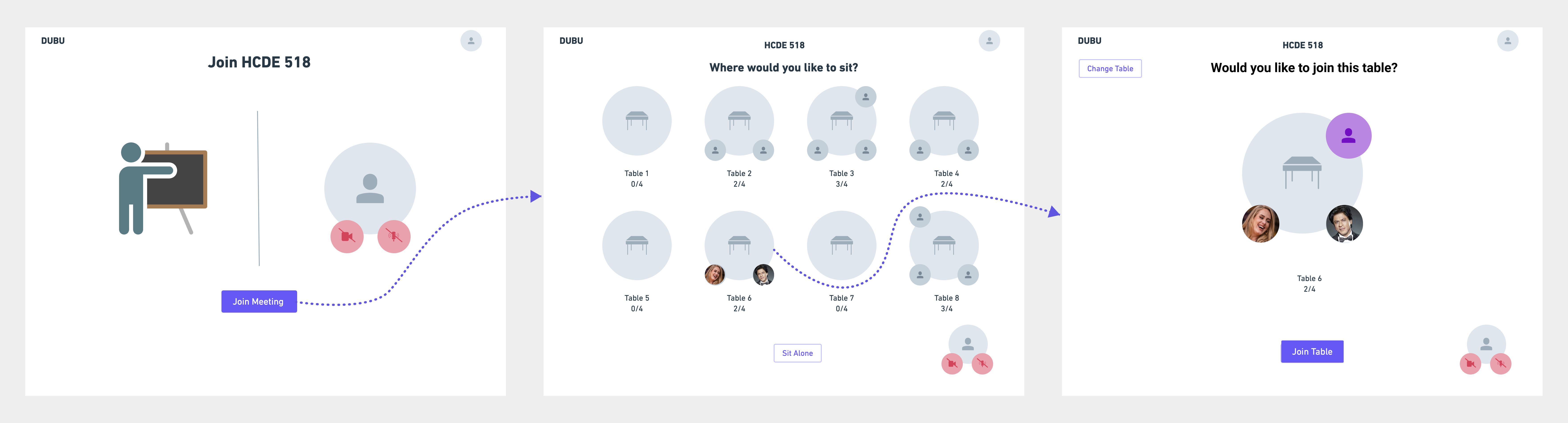
Task 2: A remote student joins a virtual table (n=4)
Usability Test Insights:
• All participants enjoyed the virtual table feature, said it imitated the classroom feeling of sitting together with friends and making connections during class.
• Partcipants wanted a direct approach to sit on a table, said to remove redundant screens.
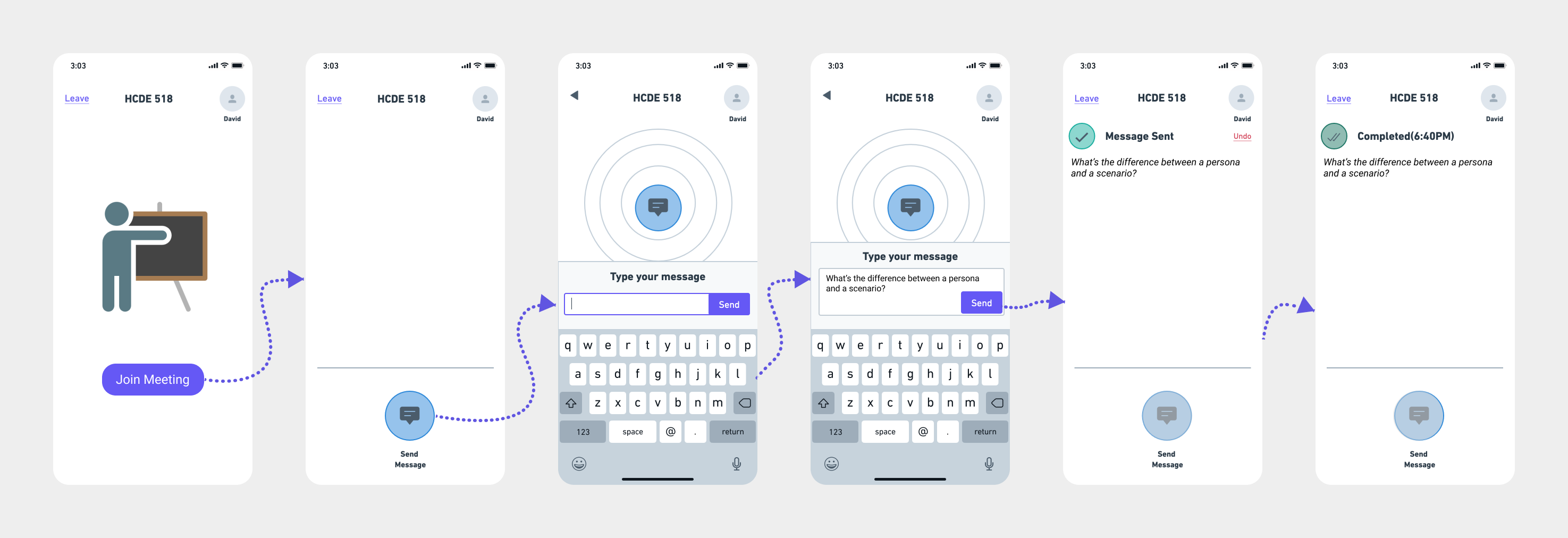
Task 3: An in-person student asks a question using the mobile app(n=4)
Usability Test Insights:
A few participants wanted to see the history and archive questions that were asked in class.
Task 4: The Professor reviews a student’s question and responds (n=2)
Usability Test Insights:
• Participants (Professors) suggested including a way to filter out comments and prioritize questions.
• No interject feature, as it would disturb the flow of teaching.
Video 1: Glimpse of our Wizard-of-Oz Usability Test
Mid-Fi Prototype
I integrated the findings from the Usability Testings to the prototypes and updated them into Mid-Fi Prototypes and then conducted another round of Usability Testing.
Usability Test Insights:
• The messages and questions all appeared on the chat, and Professor suggested separating questions from the chat but still be able to read the chat later.
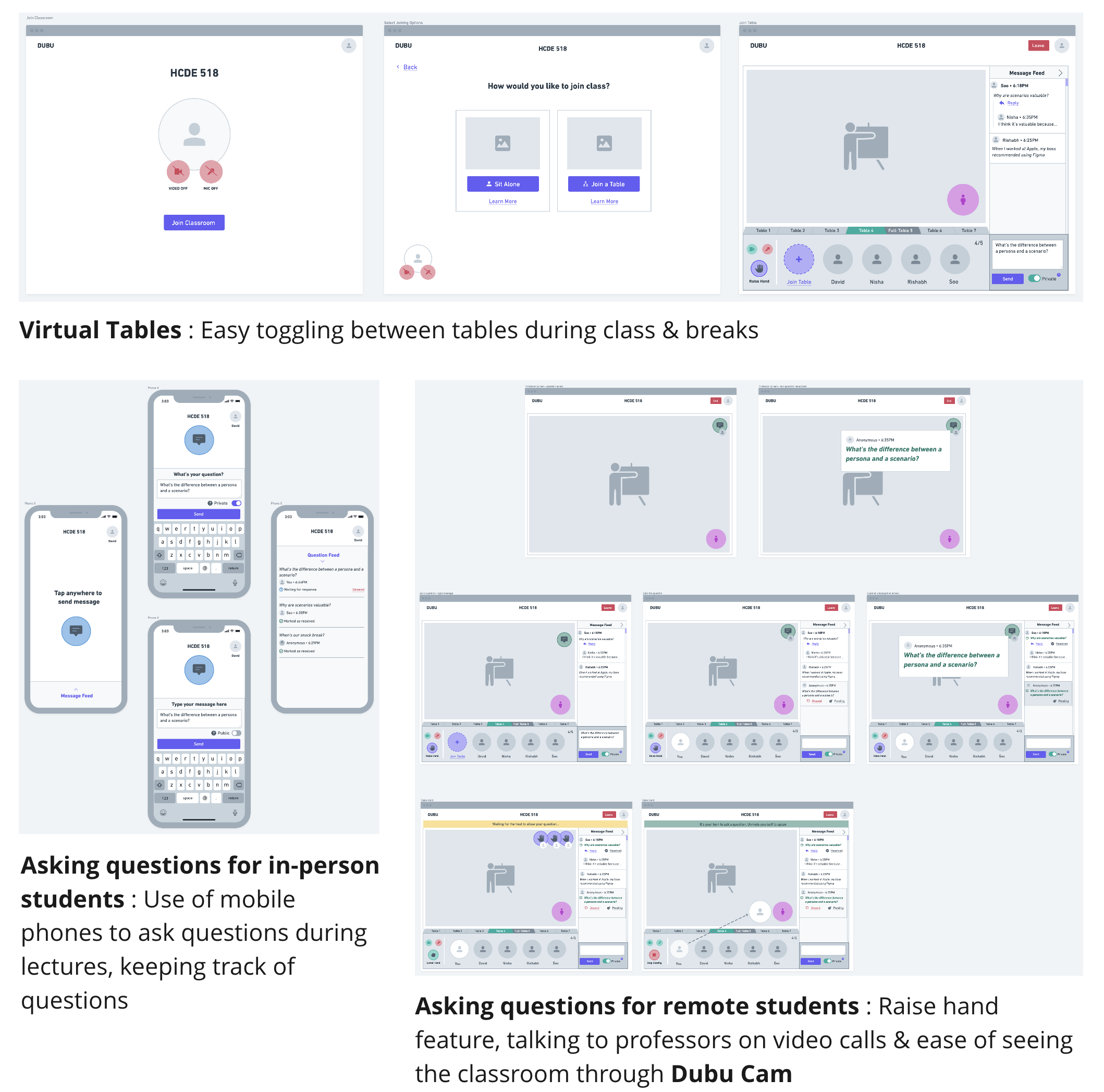
Highlights: Final Solution & Outcome
Each highlight captures an aspect of the experience in Dubu. It calls out which design goal it adheres to, what user scenario or problem its solving and what the solution is.
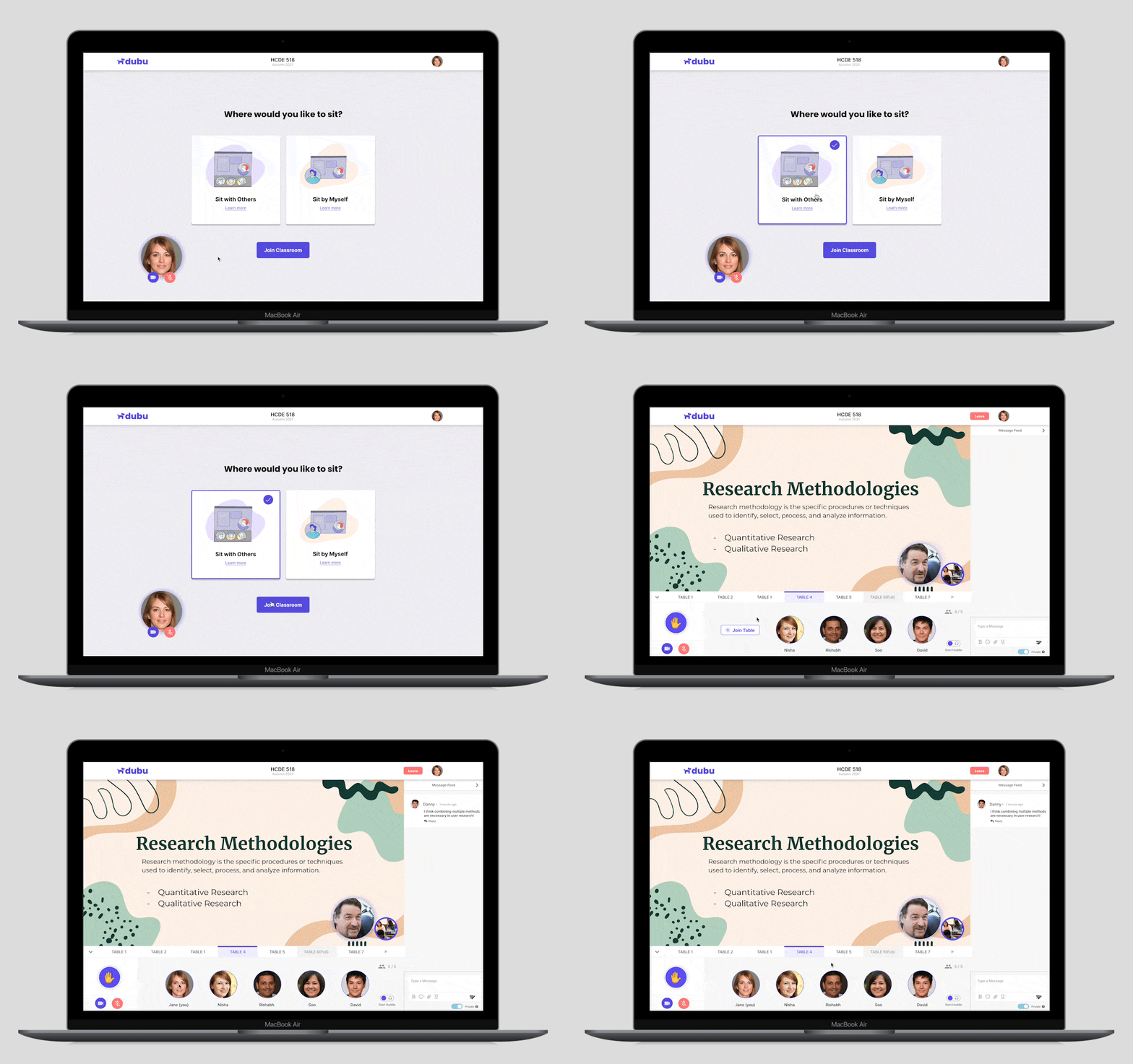
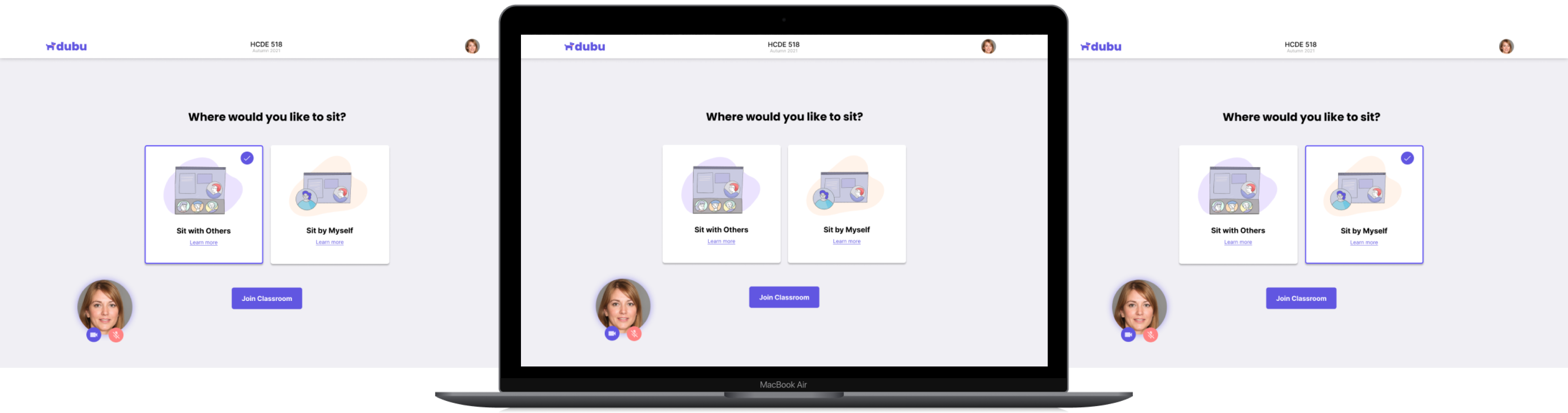
Onboarding screens with multiple options to join the class
The Problem
In remote environments may face challenges in socializing due to the lack of in-person interactions with peers and limited opportunities for group activities. As humans, socializing is an essential part of our lives, and lack of it can affect our social, emotional, and cognitive development.
The Solution
We introduced onboarding screens with a virtual table that mimics an actual classroom or campus environment, allowing students to join different groups or sessions and interact with each other through video conferencing, real-time chat, and virtual whiteboards.
Asking a question
The Problem
In a remote learning environment, students may feel hesitant to ask questions and participate in class discussions due to the lack of in-person interaction with their professors and peers. The inability to ask questions can negatively impact their learning experience, leading to feelings of disengagement and lack of interest in the subject matter.
The Solution
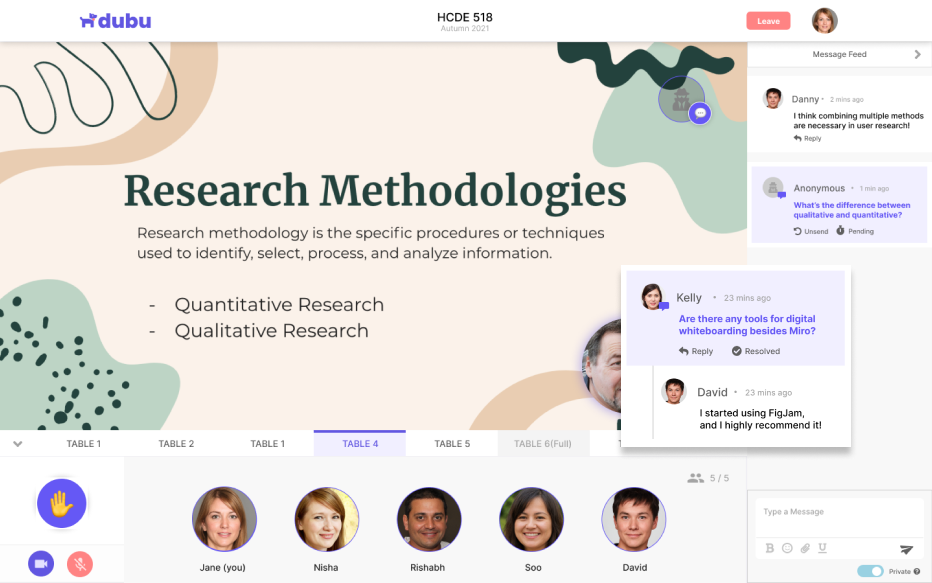
We introduced a feature in the platform that allows students to ask questions anonymously or publicly depending on their level of comfort and raise their hand via the platform through video or just audio to participate in class discussions.
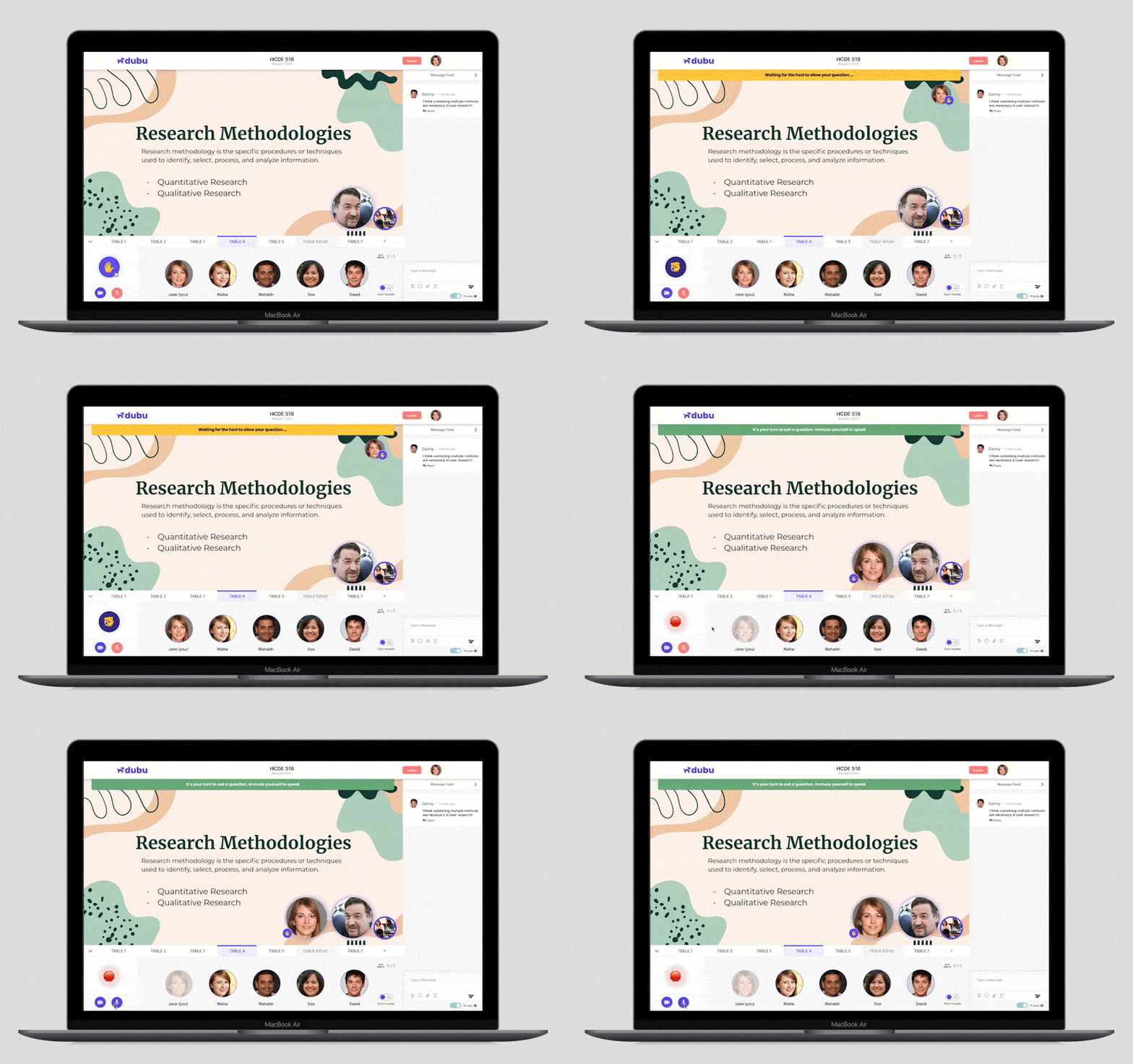
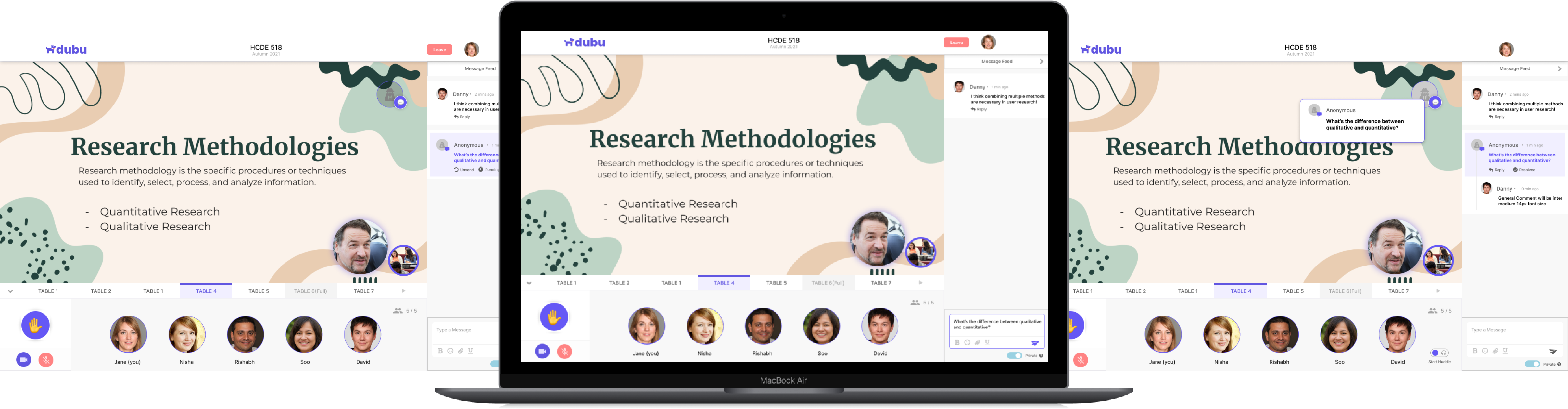
What does the professor see?
In a remote learning environment, a professor wants to create an engaging and interactive experience for their students irrespective of their location, and enhance their engagement and productivity. To achieve this, they will use Dubu which enables them to view the class and presentation materials on their screen. Students can participate in class discussions by asking questions and sharing their ideas through the platform, which will be visible to the entire class.
Drag & drop a question in the chat
The Problem
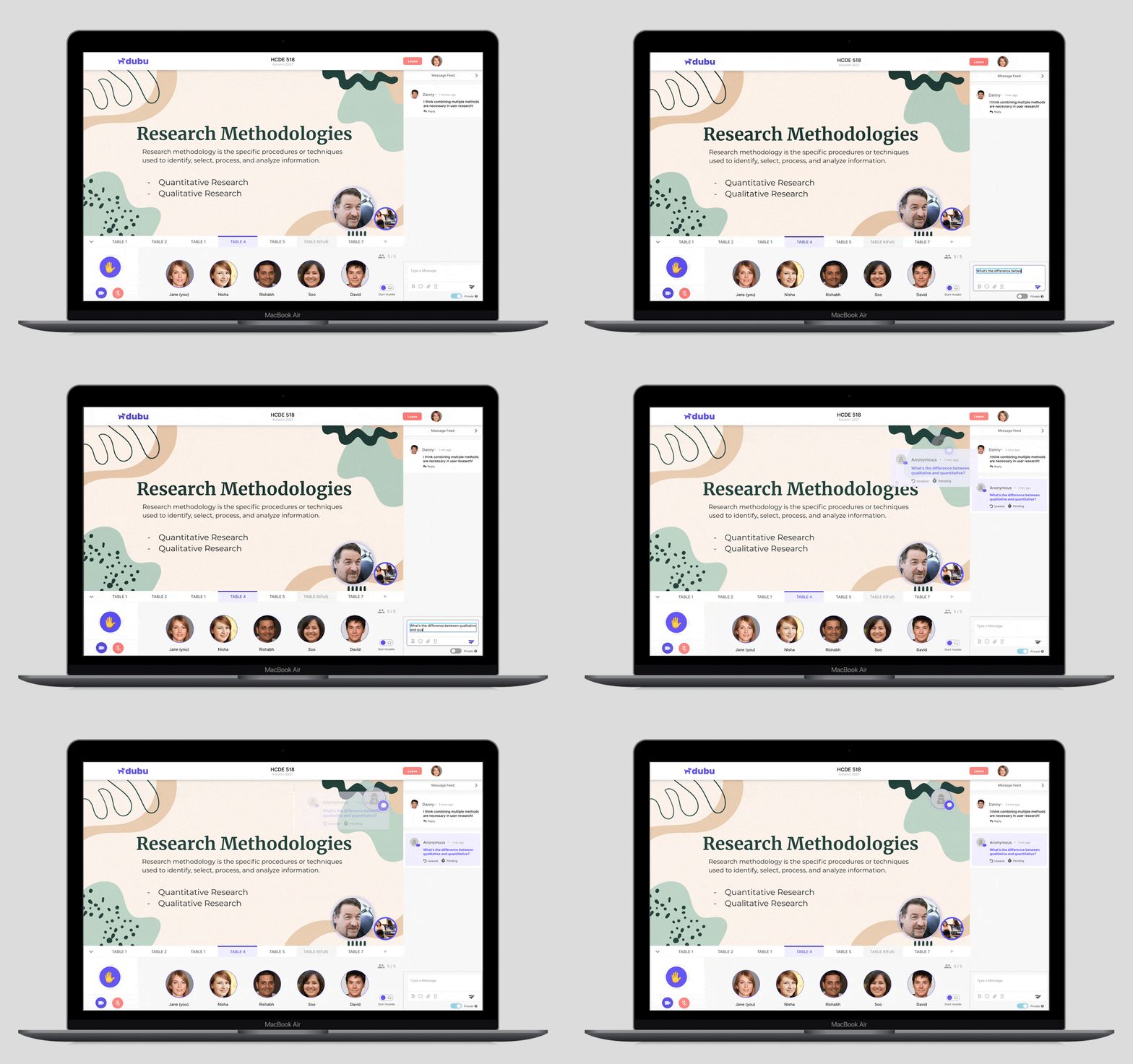
In remote learning settings, students often face challenges with communication and engagement, including the inability to easily send questions to their professors (which often gets missed in the zoom chat), lack of knowledge whether their questions were answered, limited opportunities to interact with their peers, and fear of asking questions publicly.
The Solution
We introduced an option to type in the question in the chat box, determine if they want to send it publicly or anonymously and then drag and drop the question on the shared screen. They also have an option to chat with other peers on their questions and provide their opinions to have a healthy & engaging classroom environment.
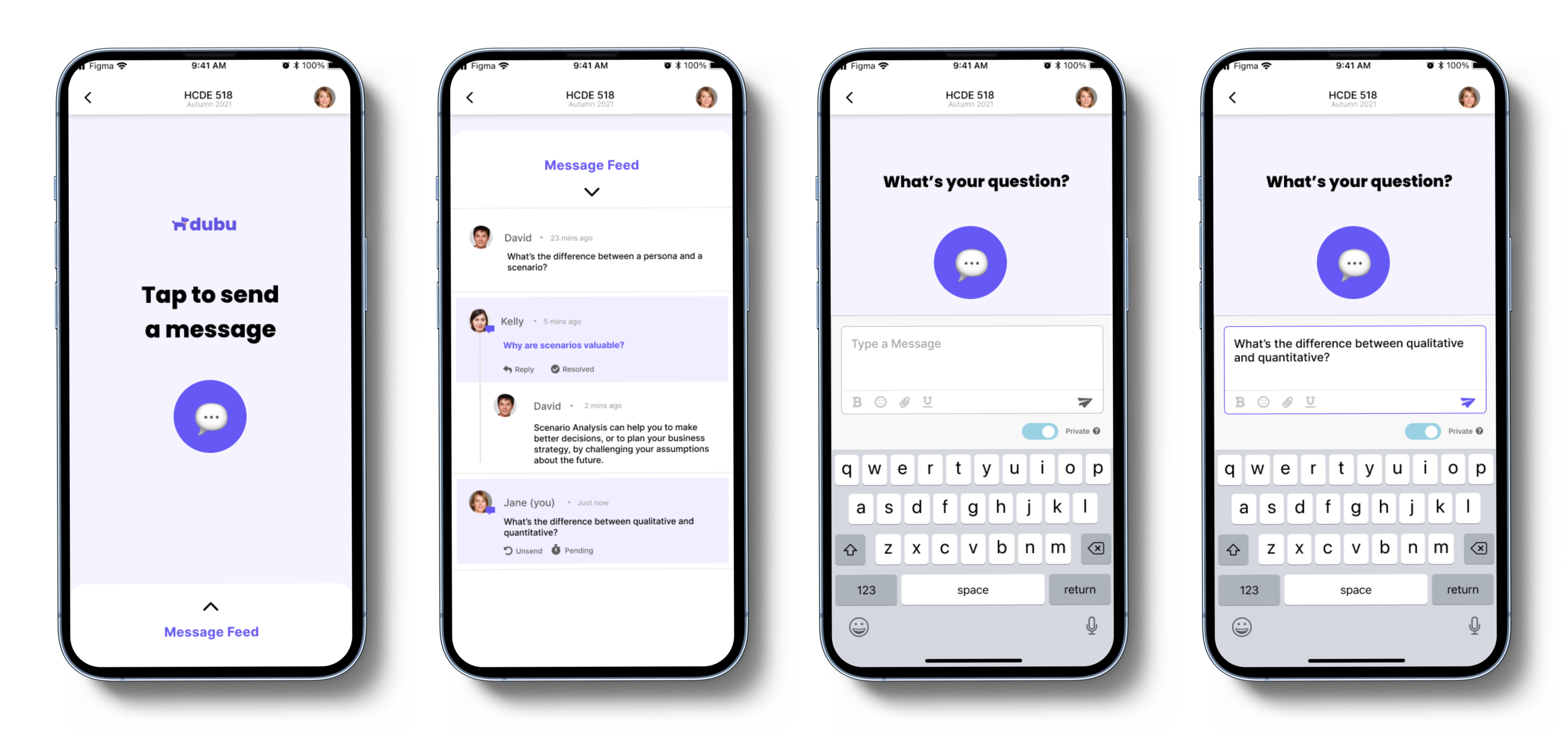
Send a message/ask a question using a mobile device
The Problem
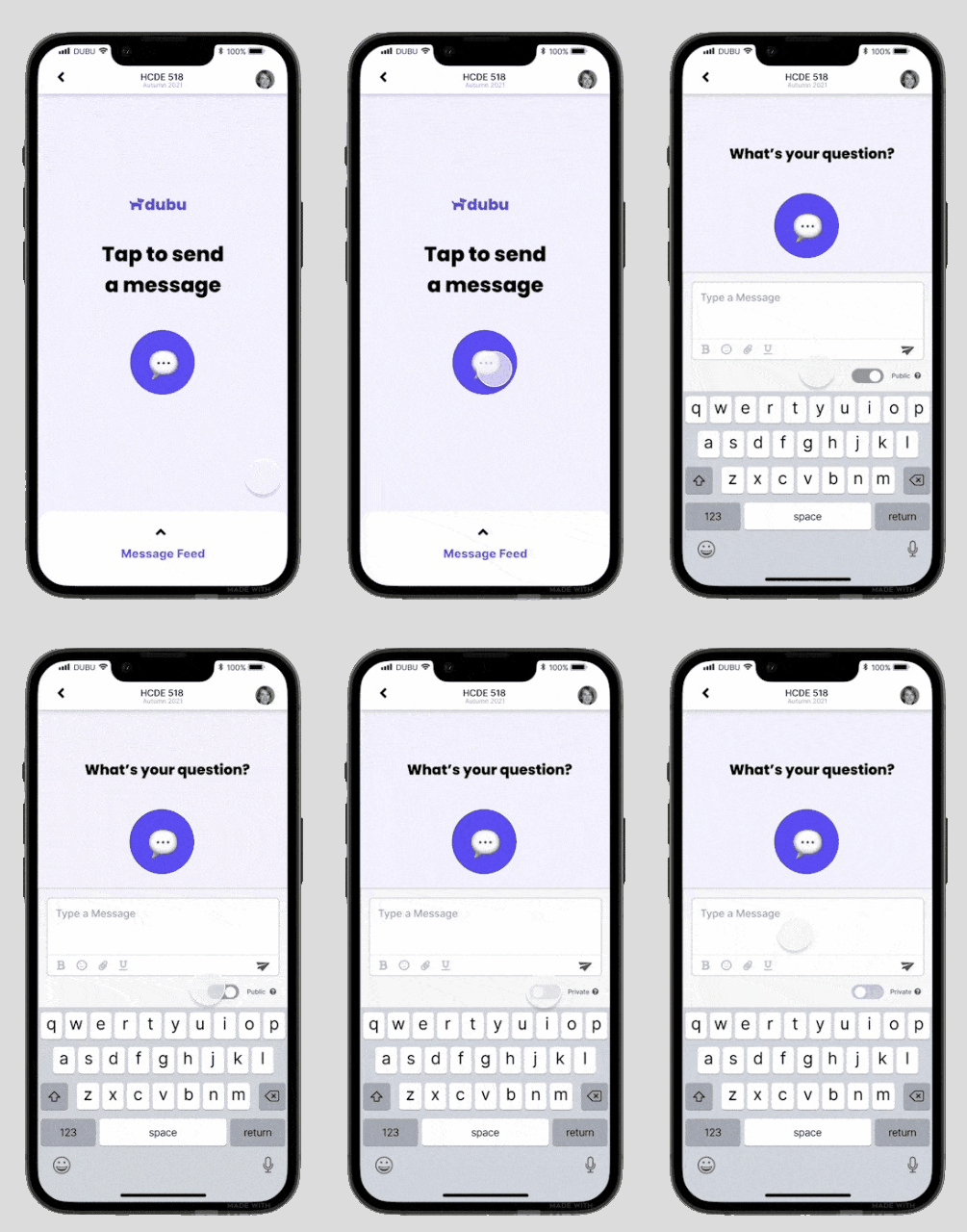
In traditional classroom settings, some students feel intimidated to ask questions directly to their professors, which can create a barrier to effective learning and limit student engagement and participation. This can lead to missed opportunities for academic growth and can negatively impact student success.
The Solution
We introduced an app for mobile devices to enable students to submit their questions through an online messaging system that will optionally keep their identity anonymous. The professor will then answer these questions during or after the class, ensuring that all students have access to the same information. They can keep track of the questions asked in an archive & also interact with other students to exchange ideas.
Dubu in Action
Wondering how Dubu would solve all the problems between in-person & remote classroom settings? Here is a glimpse of Dubu in action!

My Learnings
🧐 Different research methods
This project involved different research methodologies, namely surveys, interviews, and fly on the wall methods which helped us gather a lot of quantitative as well as qualitative findings and even confirm our personal findings. This helped us make informed design decisions with much more confidence.
🗝️ Communication is the key
As a team of 4 with different skill sets, we hybridized our efforts to approach the problem space with collaborative research and design solutions. We communicated over regular Zoom team meetings, Slack, and even in-person to process and assess the efficacy of our research and design decisions.
🧪 Test with enough users
While evaluating our designs throughout the project, we always pushed to get a varied sample for testing. This helped in making sure that our solution wasn't being directed by a small unrepresentative population and could be generalized for a scalable audience.
🔙 Going back to insights
We often referred to the insights we collected from user interviews and the personas we crafted. When we had opposing ideas as a team, the quotes from users and their goals helped us move in the right direction.
..So what's next?
🎉 Feeback & Appreciation
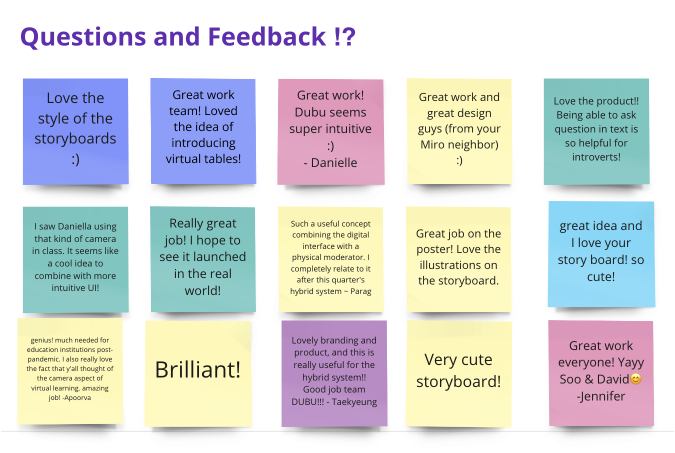
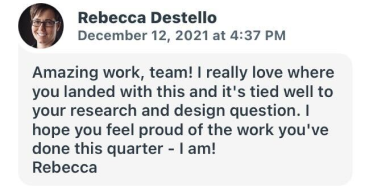
By the end of the quarter, we presented our project at a walkthrough gallery at the department of HCDE, we got commended on our effort in trying to solve one of the common yet major problems in the education field.
🫡 Scale Dubu to other domains
We also plan to make this into a model that might work for other fields where a hybrid situation may be of need, like office meetings, family get-togethers, etc.
Powered by  & made with
  | Designed by Nisha Jain © 2026